
Many US businesses keep their first books in QuickBooks Online. Then the business grows. You add a second company, a team abroad, more staff in finance, more sites to track. Soon month-end means more exports and spreadsheets than real work.
That is when most owners start to look for a QuickBooks alternative. This guide shows the signs that you are there, and why SoftLedger is built for the next stage.
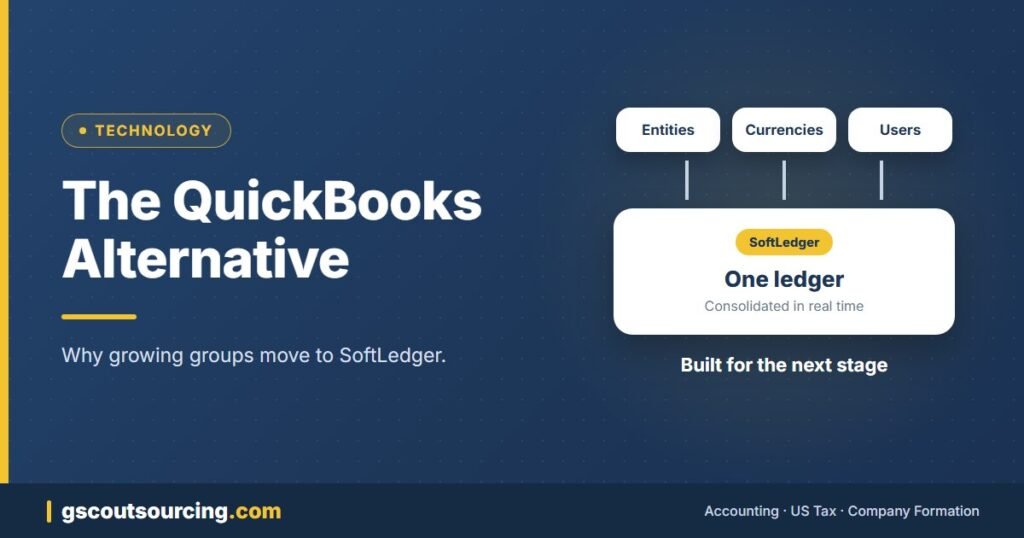
For a growing business with several entities, currencies or a larger finance team, SoftLedger is a strong QuickBooks alternative. It runs every entity in one cloud general ledger, consolidates in real time, eliminates intercompany balances automatically and pulls exchange rates for each transaction. SoftLedger also offers a self-serve import from QuickBooks Online, so the move starts with your existing data.
Quick answers
- What is SoftLedger? A cloud general ledger with built-in multi-entity, consolidation, multi-currency, AR, AP and an open API.
- Who is it for? Businesses with more than one entity, currency or reporting segment.
- Biggest change from QuickBooks Online? All entities sit in one system instead of separate company files.
- Can you bring your QuickBooks data? Yes. SoftLedger supports an automated import from QuickBooks Online.
- Are there transaction fees? SoftLedger says its plans have no per-transaction fees.
When do you need a QuickBooks alternative?
When the structure of your business has grown faster than the structure of your books.
Signs you're ready for a QuickBooks alternative
- You run two or more legal entities and consolidate them in spreadsheets
- Intercompany balances take hours to match and eliminate each month
- You have a foreign subsidiary or customers and suppliers in other currencies
- More people need access to the books than your plan allows
- You track many departments, locations or projects for reporting
- Your other systems need to send data to the ledger automatically
Intercompany work is a common pain point. The Journal of Accountancy's December 2016 article on intercompany accounting says matching and removing these deals can take a lot of time and staff. It advises clear data on which entity traded with which, so the deals are easy to find.
If three or more of the signs sound familiar, a ledger built for many entities will save time every close. Our guide to multi-entity accounting software explains what a growing group should expect from one.
Why is SoftLedger a strong QuickBooks alternative?
SoftLedger was built for many entities from the start. Work that growing firms often do in spreadsheets happens inside the system.
| Need | SoftLedger | QuickBooks Online |
|---|---|---|
| Several companies | Every entity in one ledger, added as the group grows | Each company is a separate file with its own paid subscription |
| Group reporting | Real-time consolidated P&L, balance sheet and cash flow | Reports run per company file |
| Intercompany | Identified and eliminated automatically at consolidation | Recorded in each company file separately |
| Currencies | Exchange rates pulled for each transaction, with no practical limit on currencies, SoftLedger says | Multicurrency on Essentials, Plus and Advanced; once on, it can't be turned off |
| Users | Unlimited users on the Enterprise plan | 1, 3, 5 or 25 users depending on plan |
| Classes and locations | Report by entity, segment or the whole group in one ledger | 40 on Plus, unlimited on Advanced |
QuickBooks details come from Intuit's QuickBooks Online pricing page and its multicurrency help article. SoftLedger details come from SoftLedger's product pages. We checked both on November 19, 2026.
What does SoftLedger include?
A full general ledger with the subledgers, automation and connections a growing finance team uses every day.
- Multi-entity accounting with real-time consolidation by entity, region or the whole group, with drill-down to the source transaction.
- Multi-currency accounting that remeasures balances and calculates currency translation adjustments at month-end.
- Accounts payable with multiple approval steps and payments in various currencies across entities.
- Accounts receivable including usage-based billing, plus subscription management for SaaS businesses.
- An open accounting API so other systems can post to the ledger.
- Crypto accounting through a native digital assets module on the Enterprise plan.
- Controls: SoftLedger cites SOC 1 Type II compliance, encryption and role-based access.
Choosing your next accounting system?
Our Accounting Advisory team maps your entities, chart of accounts and close before you switch.
How are SoftLedger's plans structured?
By entities and users, with no per-transaction fees, so the plan grows with the group.
SoftLedger's pricing page lists four plans:
- Starter: up to 3 entities and 1 user.
- Standard: up to 10 entities and 3 users, with API credentials and a sandbox.
- Plus: unlimited entities and 5 users.
- Enterprise: unlimited entities and users, including digital assets, for complex multi-currency companies.
In QuickBooks Online, each company needs its own plan. For a group with many companies, that alone can change the cost and the effort of keeping the books.
How do you move from QuickBooks to SoftLedger?
SoftLedger's migration guide describes three routes: an automated import, a full-service migration through a specialist, or a manual journal upload.
- Plan the structure. List every entity, its currency and how it rolls up.
- Design one chart of accounts that works across all entities.
- Choose the import route. The automated QuickBooks Online import brings lists and history as journal entries. The specialist route recreates transactions as their original types.
- Set up intercompany and currency rules so consolidation runs automatically.
- Run one close in parallel and tie the results to your old reports.
- Switch at a clean period end, such as a quarter or year-end.
Planning the switch for year-end? Book a free 30-minute call and we'll talk through your timeline and setup.
Frequently asked questions
Straight answers to what owners ask when choosing a QuickBooks alternative.
What is the best QuickBooks alternative for multiple companies?
Look for a system that holds every entity in one ledger and consolidates automatically. SoftLedger is built that way, with real-time consolidation and automatic intercompany eliminations included.
Can QuickBooks Online consolidate multiple companies?
Intuit says each company in QuickBooks Online needs its own paid subscription, and the data stays separate. Group reporting is therefore usually built outside the company files.
Is SoftLedger cloud-based?
Yes. SoftLedger is a cloud general ledger. Your team signs in from a browser, and other systems can send data to it through its open API. There is nothing to install on your own servers.
Can I keep my QuickBooks history in SoftLedger?
Yes. SoftLedger's automated import pulls lists and historical activity from QuickBooks Online as journal entries. A specialist migration can recreate original transaction types if you need them.
Can GSC keep our books in SoftLedger?
Yes. Our team works inside the client's own systems. Accounting Advisory helps design the setup, and Client Accounting Services runs the day-to-day books and close.
The bottom line
The right QuickBooks alternative fits the new shape of your business: more companies, more currencies, more people. SoftLedger puts all of it in one ledger. Group reports become a click, not a project. If your close lives in spreadsheets today, that is the change to make.
Outgrowing QuickBooks?
GSC Outsourcing's Accounting Advisory team helps you plan the move to SoftLedger. Our team then keeps the books current inside your system.
Related reading: SoftLedger vs QuickBooks: Why Multi-Entity Businesses Switch
