
QuickBooks Online is where many US businesses keep their first set of books. Things change when the business adds a second company, a foreign subsidiary or a holding structure. Suddenly month-end means logging in and out of several files and stitching reports together.
This guide compares SoftLedger vs QuickBooks for exactly that stage: what SoftLedger does natively for multi-entity, multi-currency businesses, and what the move looks like.
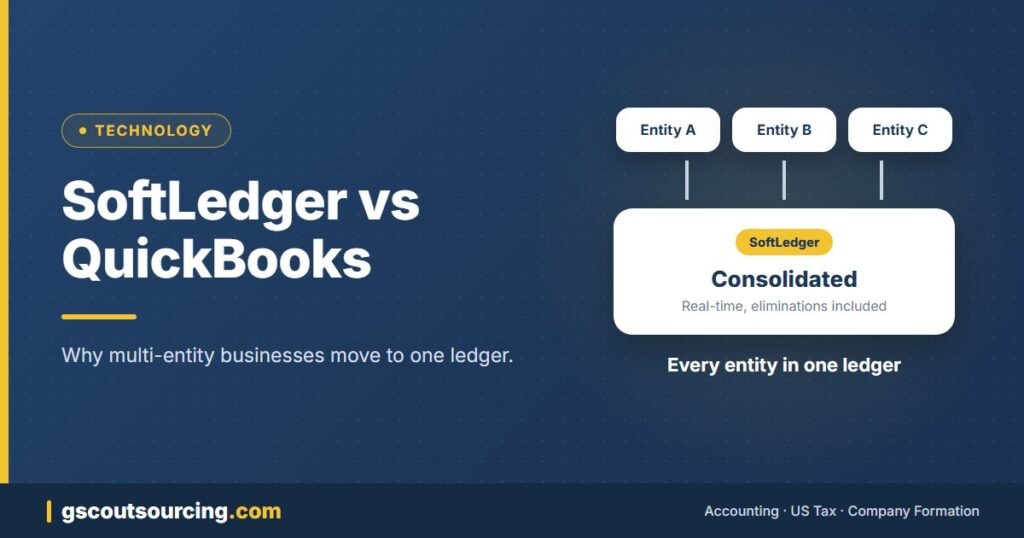
SoftLedger is a cloud accounting platform built around a multi-entity general ledger. It keeps every entity in one system, consolidates in real time and eliminates intercompany transactions automatically. In QuickBooks Online, each company is a separate company file with its own subscription, so group reporting is built outside the books. For businesses with several entities or currencies, SoftLedger removes that extra work.
Quick answers
- What is SoftLedger? A cloud general ledger with built-in consolidation, AR, AP, cash management and an open API.
- Biggest difference? SoftLedger runs many entities in one ledger; QuickBooks Online keeps each company separate.
- Intercompany? SoftLedger identifies and eliminates intercompany balances automatically.
- Multi-currency? SoftLedger pulls FX rates at transaction level and translates entities to your reporting currency.
- Can you move data from QuickBooks? Yes. SoftLedger supports importing data from QuickBooks and other systems.
SoftLedger vs QuickBooks: what is the main difference?
SoftLedger was designed for multiple entities from the start; QuickBooks Online treats each company as its own separate file.
SoftLedger describes its multi-entity accounting as built for multi-entity operations rather than added onto a single-entity ledger. You add a new subsidiary or market as another entity in the same system, and it flows straight into group reporting.
In QuickBooks Online, Intuit's help pages explain that each company you create requires its own paid subscription. The companies share a sign-in, but their data stays completely separate, bank accounts are connected company by company, and users are invited to each company separately.
| Task | SoftLedger | QuickBooks Online |
|---|---|---|
| Adding an entity | Add it inside the same ledger | Create a new company file with its own subscription |
| Group P&L and balance sheet | Consolidated reports at any time, by entity, region or whole group | Each company reports on its own data |
| Intercompany balances | Identified and eliminated automatically as transactions post | Recorded in each company's file separately |
| Shared lists | One system for all entities | Lists can be copied to a new company, but later changes don't sync |
| Foreign subsidiaries | Remeasurement and translation to the reporting currency under GAAP or IFRS | Multicurrency within each company file |
How does SoftLedger handle consolidation?
In real time. SoftLedger consolidates as transactions are recorded, so group financials are ready at any point in the month, not just after close.
According to SoftLedger's consolidation page, you can run a P&L, balance sheet and cash flow statement for any entity, segment or the whole organization, then drill down from the consolidated view to the originating transaction.
- Any structure. Model subsidiaries, divisions, joint ventures and holding companies.
- Each entity keeps its own books while feeding one consolidated view.
- Drill-down. Trace a consolidated number back to its source entry in a click.
That matters for the month-end close. Our guide to how AI is changing month-end close shows how much time teams lose to manual steps that a single ledger avoids.
How does SoftLedger handle intercompany and multi-currency?
Intercompany receivables, payables and revenue are eliminated automatically, and foreign-currency entities are translated to your reporting currency inside the system.
- Automatic eliminations. Transactions between entities are removed at consolidation, so the group isn't double-counted.
- FX at transaction level. SoftLedger pulls current exchange rates for each transaction.
- Cross-currency intercompany. Balances in different currencies are translated, then eliminated.
- Local settings per entity. Each entity can follow its own currency and local requirements.
Why does this matter? A 2016 Journal of Accountancy article on intercompany accounting calls intercompany reconciliation a resource-heavy step. It advises clear trading-partner data so deals between entities can be found and removed. A single ledger does that by design.
In QuickBooks Online, multicurrency is set company by company. Intuit's help notes that it's available on Essentials, Plus and Advanced, that once it's turned on it can't be turned off, and that the home currency can only be changed before it's enabled.
Planning a move to SoftLedger?
Our Accounting Advisory team maps your entities, chart of accounts and close process first.
What else does SoftLedger include?
The core subledgers, automation and an open API, so finance teams connect their other tools without workarounds.
SoftLedger features finance teams use most
- Accounts payable automation with approval workflows
- Recurring and usage-based accounts receivable
- Bank rules, bulk matching and built-in reconciliation reports
- AI coding suggestions for GL accounts, vendors and customers
- A full audit log with user and role permissions
- An open, documented API for connecting other systems
- A native digital assets module for crypto accounting (on its Enterprise plan)
SoftLedger publishes fixed-price plans on its pricing page, with entity and user limits by plan, unlimited entities on its higher tiers, and no per-transaction fees. We checked SoftLedger's and Intuit's pages for this guide on November 17, 2026.
How do you move from QuickBooks to SoftLedger?
Plan the structure first, then import, test and run both systems side by side for one close.
- Map your entities. List every company, its currency and how it rolls up.
- Design one chart of accounts that works across entities.
- Import your data. SoftLedger supports importing from QuickBooks, Xero, NetSuite and other systems.
- Set up intercompany rules so eliminations run automatically.
- Run a parallel close and tie the consolidated numbers back to your old reports.
- Switch over at a clean period end, such as a quarter or year-end.
Want a second pair of hands on the migration? Book a free 30-minute call and we'll talk through your setup.
Frequently asked questions
Straight answers to what finance teams ask when comparing SoftLedger and QuickBooks.
Is SoftLedger a QuickBooks alternative?
Yes. SoftLedger is a full cloud general ledger with AR, AP, cash management and reporting. It is aimed at businesses that need multi-entity, multi-currency accounting and real-time consolidation.
Can SoftLedger consolidate multiple companies?
Yes. Consolidation is built in. SoftLedger consolidates in real time, removes intercompany balances on its own and lets you report by entity, region or the whole group. You can add new entities as the group grows.
How many companies can QuickBooks Online hold under one subscription?
One. Intuit says each company you create requires its own separate paid subscription. You can switch between companies with the same sign-in, but their data stays separate.
Does SoftLedger support crypto accounting?
Yes. SoftLedger offers a native digital assets module with cost basis and gain or loss tracking across wallets. Its pricing page lists digital assets on the Enterprise plan.
Does GSC work inside SoftLedger?
Our team works inside the client's own systems. Our Accounting Advisory team can help design the setup and our Client Accounting Services team can run the day-to-day books.
The bottom line
When a business runs more than one entity, the SoftLedger vs QuickBooks question comes down to where consolidation happens. SoftLedger does it inside one ledger, in real time, with intercompany eliminations and currency translation built in. That turns month-end consolidation from a spreadsheet project into a report you run.
Outgrowing separate company files?
GSC Outsourcing's Accounting Advisory team helps you plan the move to a multi-entity ledger. Our team then keeps the books current inside your system.
Related reading: A Practical Checklist for Your First Month-End Close With a New Finance Partner · Multi-Entity Accounting Software: What a Growing Group Needs · QuickBooks Alternative: Why Growing Businesses Choose SoftLedger
