

Tax software already does the math. The slow part of a return is everything around it: chasing documents, keying in forms, comparing years and reviewing the result. That is where AI can help a small firm, as long as a person stays in charge of every return.
The short answer: use AI in tax preparation as a drafting and checking assistant at each stage of the return, from intake and data extraction to review support and client letters. Keep a named human reviewer on every return, use only secure, firm-approved tools, and never let AI sign off. The IRS expects you to treat AI output as a draft.
This guide walks through that workflow step by step, with the checks every AI-assisted return needs.
| Quick answers Can CPA firms use AI to prepare returns? Yes, for drafting and checking, with a person reviewing every return. Where does AI save the most time? Document intake, data extraction and year-over-year comparisons. Does the IRS allow it? Yes, but its June 2026 guidance says AI output must be treated as a draft. Can staff use free public AI tools? Not with client data. Use secure, firm-approved tools only. Who is responsible for the return? The preparer and signer, never the AI tool. |
What is AI in tax preparation?
AI in tax preparation means using AI tools to read documents, draft workpapers and flag issues, while a qualified person prepares, reviews and signs the return.
It is not a robot that files returns. In a small firm, it usually shows up in three forms: document readers that pull data from W-2s, 1099s and K-1s; AI features inside tax and practice management software; and general AI assistants used for research summaries and client letters. Use is rising fast. In a CPA.com and Blue J survey of more than 1,000 tax professionals, released in June 2026, 60% said they use AI for tax research every week, up from 33% a year earlier.
For the wider picture of AI across a practice, see our guide to AI for CPA firms. This post stays on one job: the return.
What does the IRS expect when you use AI?
The IRS expects the same due diligence as always: AI output is a draft, a practitioner must check it, and client data may only go into secure, approved tools.
In June 2026 the IRS Office of Professional Responsibility published guidelines for responsible AI use in federal tax practice. In plain terms, they say:
• AI output is a draft. Facts, citations and numbers need checking before anything goes to a client or the IRS.
• You can't rely on AI alone. Circular 230 due diligence still applies to every return you prepare or approve.
• Firm leaders must set procedures. That means training, secure data handling, accuracy checks and vetting outside AI tools.
• Protect client data. Use secure, enterprise-approved tools and never upload sensitive data to unsecured sites.
• Bill fairly. Charging for manual time that AI saved may break the fee rules.
| Need more review capacity this season? Our US tax team prepares business and individual returns inside your tax software, and a senior reviewer checks each return against the workpapers before you see it. See our US tax services → |
How do you build an AI tax preparation workflow, step by step?
Map AI to each stage of the return, and give every stage a human checkpoint. The table shows who does what.
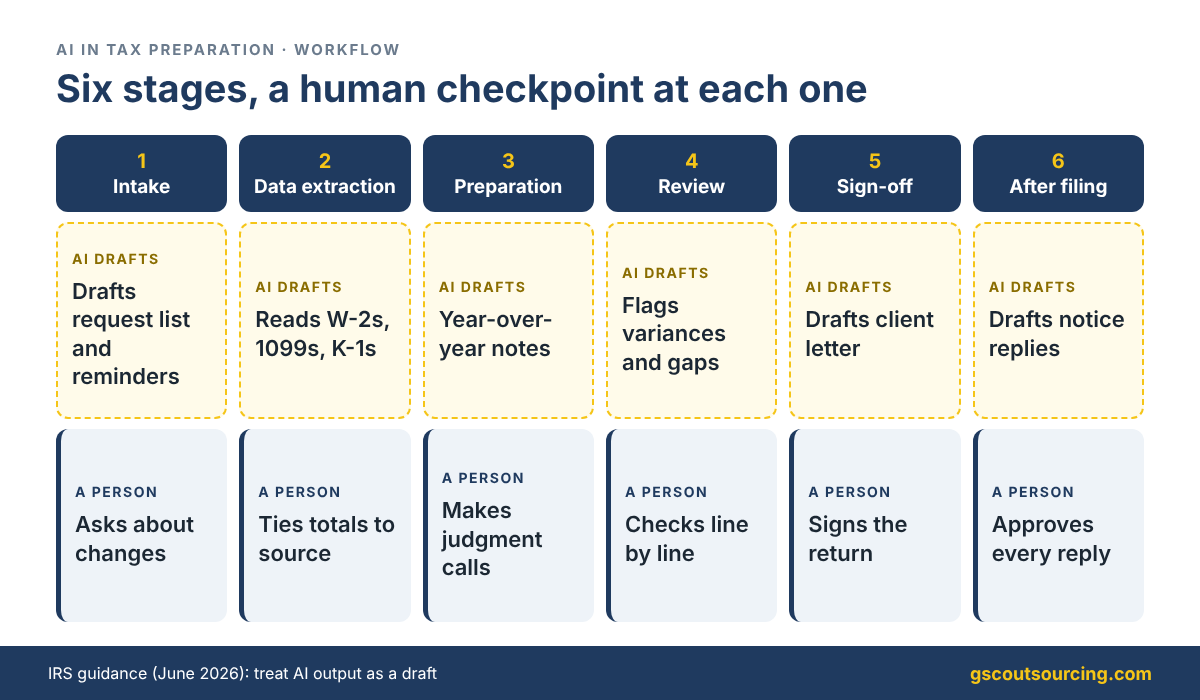
| Stage | What AI does | What a person does |
| 1. Intake | Builds a document request list from last year's return and drafts reminders | Asks the client about changes in their life or business |
| 2. Data extraction | Reads W-2s, 1099s and K-1s into the tax software | Ties every total back to the source document |
| 3. Preparation | Compares with last year and drafts workpaper notes | Makes every judgment call and election |
| 4. Review | Flags big changes, missing forms and unusual items | A senior reviewer checks the return line by line |
| 5. Sign-off and delivery | Drafts the client summary letter | Signs the return and edits the letter |
| 6. After filing | Drafts replies to routine IRS notices | Approves every reply before it is sent |
Step 1: Intake
Start with a request list built from the prior-year return, so nothing is forgotten. AI can turn last year's forms into a client-specific list and draft polite reminders. A person still asks the questions AI can't: a new business, a sold property, a move to another state.
Step 2: Data extraction
This is where most firms save the most time. Document readers pull figures from source forms into your tax software. Set a simple rule: someone ties each total back to the source, and anything the tool marks as low confidence is keyed by hand.
Step 3: Preparation
AI can draft a year-over-year comparison and plain-English workpaper notes. It should not choose elections, filing positions or anything else that needs judgment. If AI drafts a research memo, check every citation against the primary source.
Step 4: Review
Use AI to point the reviewer at risk, not to replace the reviewer. Variance flags and missing-form alerts help a reviewer spend time where it matters. The reviewer should not be the person who ran the AI step.
Steps 5 and 6: Sign-off, delivery and notices
The signer reviews the final return and owns it. AI can draft the cover letter and routine notice replies, but a person edits and approves each one before it leaves the firm.
What should a reviewer check on every AI-assisted return?
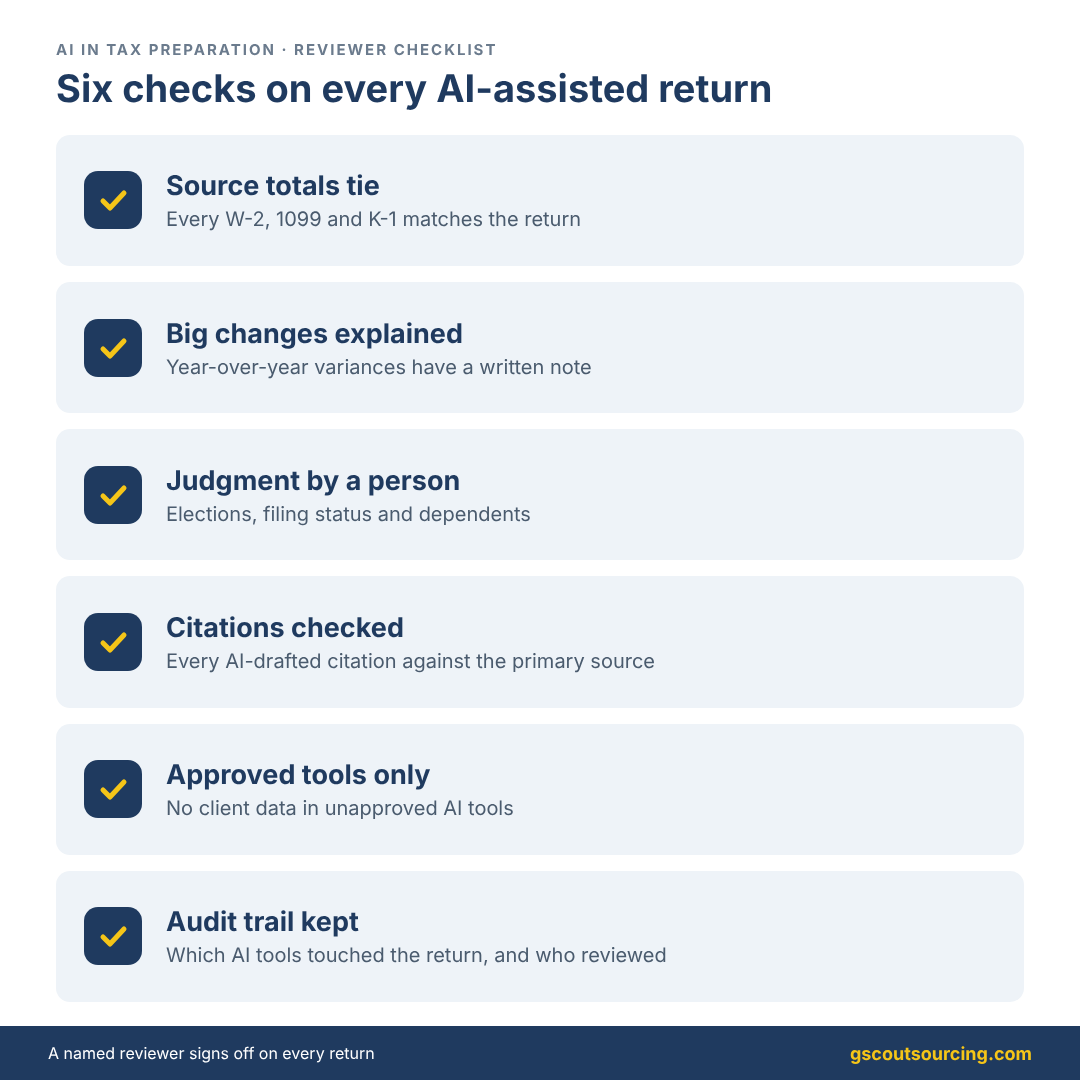
A reviewer should check the inputs, the judgment calls and the AI's work separately, then record who checked what.
• Source totals tie to the return for every W-2, 1099 and K-1.
• Big year-over-year changes have a written explanation.
• Elections, filing status and dependents were decided by a person.
• Every citation in AI-drafted notes was checked against the primary source.
• No client data went into an unapproved tool.
• The file records which AI tools touched the return and who reviewed the output.
| See how an AI-augmented team works At GSC Outsourcing, our AI-augmented team uses AI for data extraction, matching and first-pass checks. Client data is anonymized before any AI workflow touches it, and a person reviews every output before delivery. See our technology → |
How do you keep client data safe when using AI?
Treat AI tools like any other vendor that touches taxpayer data: approve them, secure them and write them into your security plan.
Under the FTC Safeguards Rule, tax preparation firms count as financial institutions. The rule requires a written information security program, a named Qualified Individual, multi-factor authentication, encryption, and a report to the FTC within 30 days of a breach affecting 500 or more people. The IRS template in Publication 5708 is a practical place to start your written information security plan (WISP).
• Approve tools in writing. List which AI tools staff may use, and for which tasks.
• Read the vendor's terms. Confirm whether client files are kept or used to train models.
• Get advice on consent. Section 7216 penalizes unauthorized use or disclosure of return information, and the IRS has not yet said whether sending it to an AI tool counts. Ask counsel whether you need client consent.
• Remove what AI doesn't need. Strip names, Social Security numbers and account numbers where you can.
For questions to ask any outside provider that handles client data, see our data security questions for providers. Our own controls are listed on our data security page.
How should a small firm test AI before busy season?
Start small: one stage, one approved tool, a handful of simple returns and a written review rule.
1. Pick one stage. Data extraction is usually the easiest place to start.
2. Choose 10 to 20 simple returns you know well from last year.
3. Run the AI step next to your normal process and compare the results.
4. Track errors and minutes saved, not impressions.
5. Write the procedure into your WISP and staff checklist before you expand.
The same test-then-expand approach works outside tax. Our post on how AI is changing month-end close shows it in bookkeeping.
Frequently asked questions
Can AI prepare tax returns on its own?
No. AI can read documents, draft workpapers and flag issues, but a qualified person must prepare, review and sign the return. IRS guidance from June 2026 says practitioners cannot rely solely on AI and should treat AI-generated text as a draft that needs careful review.
Is it safe to put client tax documents into public AI chat tools?
Not without safeguards. The IRS tells practitioners to use only secure, enterprise-approved AI tools and never to upload sensitive data to unsecured sites. Check each vendor's data retention and training terms, add approved tools to your written information security plan, and ask counsel about Section 7216 consent.
Where does AI save the most time in tax preparation?
Usually in document intake and data extraction, where AI reads W-2s, 1099s and K-1s and fills in the tax software. Year-over-year comparisons and first drafts of client letters come next. Judgment work, such as elections and filing positions, takes the same time because a person must still do it.
Do I need client consent to use AI on tax returns?
Possibly. Section 7216 penalizes unauthorized use or disclosure of tax return information, and the IRS has not clearly said whether sending data to an AI tool counts as disclosure. Some firms now use a separate AI consent. Ask your counsel which approach fits your tools and your clients.
Who is responsible if AI makes a mistake on a return?
The practitioner who prepares or signs the return. Circular 230 due diligence rules still apply when AI is used, and the IRS expects firms to train staff, check AI output and keep records. That is why every AI-assisted return needs a named human reviewer.
How should a small CPA firm start using AI in tax preparation?
Pick one stage, usually data extraction, and test one approved tool on 10 to 20 simple returns you know well. Run it next to your normal process, track errors and time saved, then write the review rules into your staff checklist and security plan before you expand.
| Add review capacity without adding risk AI speeds up a return, but someone still has to check it. GSC Outsourcing gives US CPA firms extra preparation and review capacity for busy season. Book a free 30-minute call → |
Related reading: Tax preparation outsourcing: strategies for success · WISP for Tax Preparers: What It Is and How to Write One · Accounts Payable Process: The Steps and a Simple Workflow
