
Most small CPA firms don't have a software problem. They have a too-many-tools problem: tax software in one window, a spreadsheet of deadlines in another, client files in email, and signatures chased by phone. Each tool works. Together, they slow the firm down.
The short answer: a small CPA firm needs five core types of software: professional tax software, practice management (workflow and deadlines), a secure client portal with e-signatures, client accounting software, and basic security tools. Start with tax software, practice management and a portal, make sure they connect, and add AI tools on top once the basics run smoothly.
This guide explains what each type does, which tax software CPAs actually use according to a 2026 AICPA survey, and how to choose without wasting a busy season.
| Quick answers What software does a CPA firm need? Tax software, practice management, a client portal, client accounting software and security tools. Which tax software is used most? UltraTax CS, Lacerte, Drake Tax and CCH Axcess Tax led a 2026 survey of AICPA members. Is practice management software worth it? Yes, once you have more than a few people sharing deadlines. Do clients need a portal? Yes. Email is not a safe place for tax documents. Where does AI fit? As a layer on top, mostly for research and client emails, with a person checking the output. |
What software does a CPA firm need?
A CPA firm's software stack is the set of tools it uses to prepare returns, run its workflow, work with clients and protect their data. For most small firms, five types cover the job.
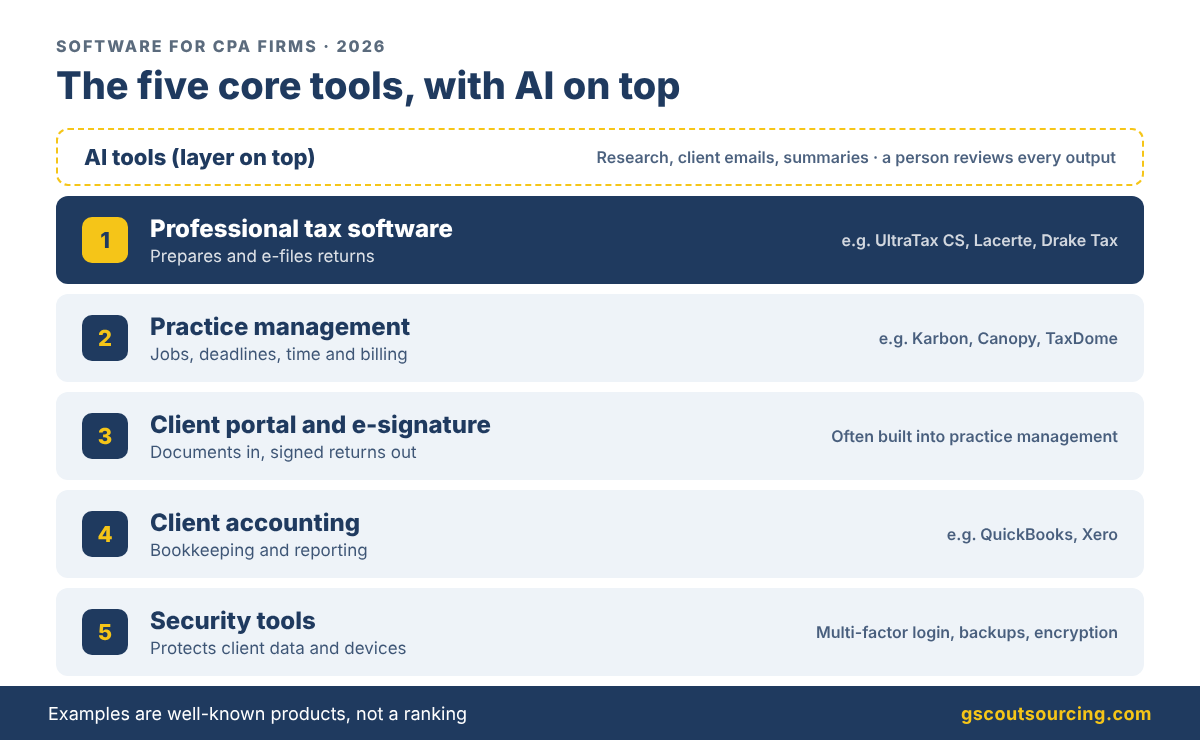
| Software type | What it does | Examples | Must-have feature |
| Professional tax software | Prepares and e-files returns | UltraTax CS, Lacerte, Drake Tax, CCH Axcess Tax | Covers the return types you prepare most |
| Practice management | Tracks jobs, deadlines, time and billing | Karbon, Canopy, TaxDome | Recurring workflows and due-date tracking |
| Client portal and e-signature | Collects documents, sends returns for signing | Often built into practice management | Easy for clients to use on a phone |
| Client accounting | Bookkeeping and reporting for clients | QuickBooks, Xero | Accountant access to many client files |
| Security tools | Protects client data and devices | Multi-factor login, backups, encryption | Multi-factor authentication everywhere |
The examples are well-known products, not recommendations or a ranking. The right choice depends on your client mix, firm size and the tools you already use.
Which tax software do CPA firms use most?
In The Tax Adviser's 2026 tax software survey of 1,808 AICPA members, the most-used products were UltraTax CS (22.3%), Lacerte (16.7%), Drake Tax (14.3%) and CCH Axcess Tax (13.8%).
• Satisfaction: Drake Tax and Lacerte both scored 4.4 out of 5 overall. CCH Axcess Tax scored 4.0.
• Price: 86% of Drake Tax users named price as something they liked. Price was a top dislike for over 80% of users of Lacerte, UltraTax CS and CCH ProSystem fx.
• Cloud or desktop: 92.3% of CCH Axcess Tax users ran it in the cloud, while more than 94% of ATX and CCH ProSystem fx users ran it on their own computers or network.
• Training: only 41.2% of respondents received training on their software.
Popular doesn't mean right for you. A firm doing mostly individual returns needs something different from one doing complex partnership and multi-state work. Test the software on the returns you prepare most before you switch.
| Got the software, short on people? Dedicated offshore accountants work inside your own tax, practice management and accounting software, following your checklists, so new tools actually get used. Explore offshore staffing → |
What is practice management software, and do you need it?
Practice management software is the firm's control panel. It tracks every client job, deadline and task in one place, so nothing depends on one person's memory or inbox.
Most products cover the same core jobs: recurring workflows (monthly bookkeeping, quarterly estimates, annual returns), due-date tracking, task assignment, client emails, time tracking, invoicing and a client portal. Here is how three well-known vendors describe their own products:
• Karbon highlights workflow automation, a shared email inbox that connects to Gmail and Outlook, time and billing reports, and AI tools that draft emails and summarize client conversations.
• Canopy highlights a client portal for documents, payments and messages, task automation, and AI that drafts emails and creates document checklists.
• TaxDome highlights a branded client portal and client mobile app, e-signatures, client organizers, workflow automation and a CRM.
Do you need it? A sole practitioner with 50 clients can get by with a calendar. Once two or more people share deadlines, or you can't answer "where is this return?" in ten seconds, practice management pays for itself in fewer missed dates and less chasing.
How should you collect documents and signatures?
Use a secure client portal, not email. A portal keeps documents encrypted, organized by client and year, and lets clients upload and sign from their phone.
This is also a security and compliance question. Under the FTC Safeguards Rule, tax and accounting firms must have a written information security plan, and IRS Publication 4557 sets out baseline protections such as multi-factor authentication. A portal with access controls is much easier to defend than a shared inbox full of tax returns.
When you compare portals, check three things: can clients use it without calling you, does it send automatic reminders for missing documents, and does it connect to your practice management and tax software? Many practice management products include a portal, which means one less login for clients and staff. For the questions to ask any provider that handles your data, see five data security questions to ask your provider.
Where do AI tools fit in a CPA firm's software?
AI is a layer on top of your core software, not a replacement for it. Most firms use it for tax research and client communication, with a person reviewing every output.
The same 2026 survey found that 65% of respondents use AI for tax research and 32% use it for client communication. Only 16% had no plans to use AI, down from 24.3% a year earlier. Many practice management tools now include AI features for drafting emails and summarizing client threads, so you may already have access to some without buying anything new.
Two rules keep AI useful and safe: never put client data into a public AI tool without safeguards, and have a person check every AI draft before it reaches a client. For a practical example, see how AI is changing month-end close.
| See how an AI-augmented team worksAt GSC, AI takes the first pass and a person reviews every output. Client data is anonymized before any AI workflow touches it. See our technology → |
How do you choose software for a small CPA firm?
Start from your process, not the vendor's demo. Write down how work moves through your firm, then pick tools that fit it and connect to each other.
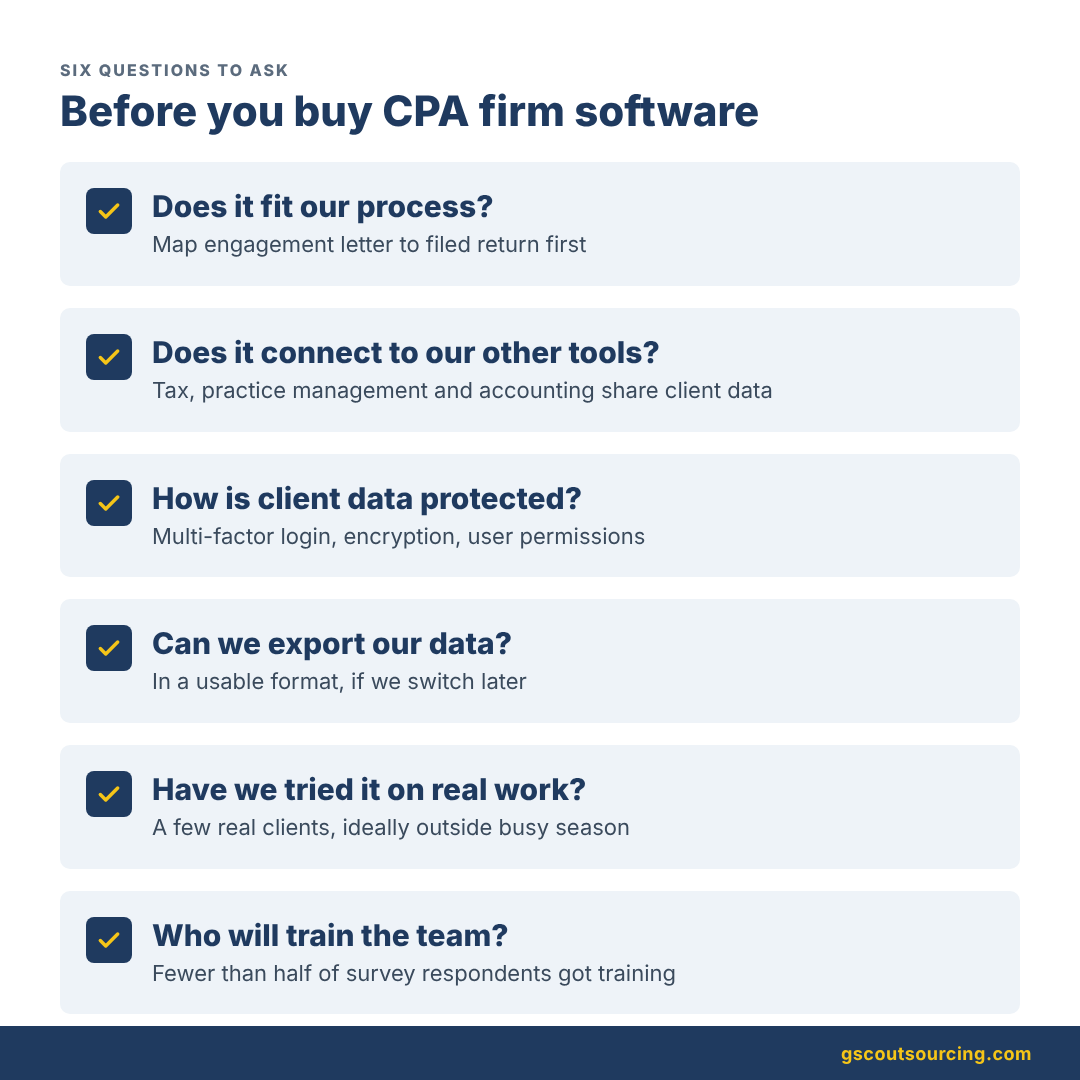
1. Map your process. List each step from engagement letter to filed return, and where work gets stuck today.
2. Write your must-haves. Separate what you need on day one from what would be nice later.
3. Check integrations. Your tax, practice management and accounting software should share client data, so nobody types it twice.
4. Ask about security. Multi-factor login, encryption, user permissions, and where your data is stored.
5. Check you can leave. Make sure you can export your data in a usable format if you switch later.
6. Trial it on real work. Run a few real clients through it before committing, ideally outside busy season.
7. Plan training. Budget time for it. In the 2026 survey, fewer than half of respondents received training on their tax software.
Avoid switching your core tax software in the middle of busy season, and avoid buying three overlapping tools that each do half the job.
Frequently asked questions
What tax software do most CPA firms use?
In The Tax Adviser's 2026 survey of 1,808 AICPA members, UltraTax CS was the most used at 22.3%, followed by Lacerte at 16.7%, Drake Tax at 14.3% and CCH Axcess Tax at 13.8%. Drake Tax and Lacerte had the highest overall satisfaction, both at 4.4 out of 5.
What is the difference between practice management and tax software?
Tax software prepares and e-files returns. Practice management software runs the firm around that work: it tracks jobs, deadlines, tasks, client emails, time and invoices. Most firms need both, and they work best when they share client data so nobody enters it twice.
Is practice management software worth it for a small CPA firm?
Usually yes, once two or more people share deadlines or you manage recurring monthly work. It replaces spreadsheets and inbox searches with one view of every job and due date, which means fewer missed deadlines and less time spent chasing status updates.
Do CPA firms need a client portal?
Yes. Email is not a secure way to collect tax documents. A portal encrypts files, organizes them by client and year, and lets clients upload and sign from their phone. It also supports the written information security plan that tax and accounting firms need under the FTC Safeguards Rule.
Is cloud tax software safe for a CPA firm?
It can be, if you set it up properly. Turn on multi-factor authentication, give each user only the access they need, and confirm how the vendor encrypts and backs up data. IRS Publication 4557 sets out baseline protections that apply whether your software runs in the cloud or on your own computers.
Can offshore staff work in our existing software?
Yes. Dedicated offshore staff can log in to your tax, practice management and accounting software with their own user accounts and permissions, and follow your checklists. This keeps your data in your systems and lets you control and review their access.
| Get more out of the software you already pay for Good software only helps if someone has time to use it well. Many firms pay for features nobody sets up, because every hour goes to client work. Book a free 30-minute call → |
Related reading: Why accounting firms are turning to offshore staffing in 2026 · How to Use AI in Tax Preparation: A Step-by-Step Workflow for Small CPA Firms · What Is 7216 Consent? A Guide for CPA Firms That Offshore
