
The first foreign customer is easy. You send an invoice in euros, the cash comes in, and you move on. Then you open a UK company, pay a supplier in rupees and add a bank account in Canadian dollars. Now month-end means rates, revaluations and gains and losses, often in a spreadsheet next to the books.
This guide explains what multi-currency accounting software should do for a growing business, and how SoftLedger builds it into one ledger.
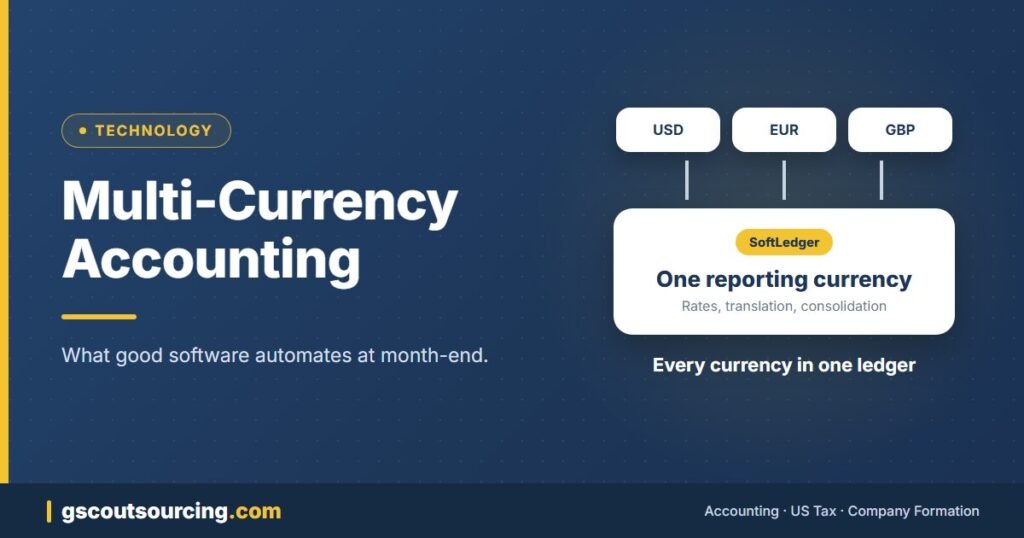
Good multi-currency accounting software books each deal in its own currency, uses the right rate on its own, revalues open balances at month-end and turns every company's results into one reporting currency. SoftLedger does all of this in one ledger for many companies. It pulls the rate for each deal, works out the currency adjustments at close and builds group reports in real time.
Quick answers
- What is multi-currency accounting? Keeping books where deals, bank accounts or companies use more than one currency.
- What should the software do for you? Pull rates, revalue balances at month-end and build group reports.
- How many currencies can SoftLedger handle? SoftLedger says there is no practical limit.
- Does it work across companies? Yes. SoftLedger converts and combines each company's books in real time.
- Can it handle deals between your own companies? Yes, even when the two sides use different currencies.
What is multi-currency accounting software?
It is accounting software that books each deal in its own currency, converts it to your home currency and keeps the value right as rates move.
Basic tools let you send an invoice in a foreign currency. Real multi-currency software does more. It keeps the original amount, the rate you used, the value today and the gain or loss in between. If you own companies abroad, it also turns each one's results into a single currency so you can see the whole group.
What should multi-currency accounting software do?
Five jobs: rates, booking, month-end revaluation, conversion of each company and group reports. The more it does on its own, the less you rebuild in spreadsheets.
| Job | What it means | How SoftLedger handles it |
|---|---|---|
| Rates | The right rate for each date | Pulls current rates for each deal on its own |
| Booking | Foreign deals recorded in the local currency | Books them at entry at the right rate |
| Revaluation | Open foreign balances updated at month-end | Remeasures balance sheet items as part of the close |
| Conversion | Each company's results turned into the group currency | Works out currency translation adjustments on its own |
| Group reports | One set of group statements | Converts and combines companies in real time, with deals between them removed |
Each row comes from SoftLedger's multi-currency accounting page, which we checked on November 19, 2026.
Why does multi-currency get harder as you grow?
Because currencies spread across companies, bank accounts, customers and suppliers. Every one needs revaluing each month.
- More companies, each keeping books in its own currency.
- Loans and sales between your own companies in different currencies.
- More foreign bank accounts to reconcile.
- Customers and suppliers who pay or bill in other currencies.
- Audit questions about which rate you used, and when.
Foreign exchange is a known pain point. The Journal of Accountancy's December 2016 article on intercompany accounting cites a 2016 Deloitte poll in which 9.4% of respondents named foreign exchange exposure as a challenge. It advises clear group rules for currency, netting and settlement.
In QuickBooks Online, multicurrency works inside each company file. Intuit's multicurrency help article says it is on the Essentials, Plus and Advanced plans, and that once you turn it on you can't turn it off. A group with several companies sets up currencies one company at a time. SoftLedger handles them for all companies in one ledger.
Setting up multi-currency books?
Our Accounting Advisory team designs your company, currency and group reporting setup before go-live.
How does SoftLedger handle deals between your own companies?
It finds balances between your companies, converts them to one currency and removes them from the group totals.
This is where groups with many currencies lose the most time. Say a US parent lends money to its UK company. One side of the loan is in dollars, the other in pounds. Before the group can cancel it out, both sides must be converted at the right rate. SoftLedger says these cross-currency balances are found, converted and removed as part of building the group reports, so the totals are not overstated.
Our guide to multi-entity accounting software covers group reports and deals between companies in more detail.
How do you choose multi-currency accounting software?
Test it on your own month-end, not a demo company.
Questions to ask before you choose
- Does it pull rates on its own, and from which source?
- Can one customer or supplier deal in more than one currency?
- Does it work out revaluation and currency adjustments for you?
- Can companies with different currencies roll up in real time?
- Are cross-currency balances between your companies removed on their own?
- Can you click from a group number to the deal behind it?
- Is there an API so banks and billing tools can post data directly?
SoftLedger's product pages cover the rate, revaluation, conversion, group report, drill-down and API questions inside one ledger. Its pricing page describes its Enterprise plan as built for complex, multi-currency companies.
Want help testing a system on your own close? Book a free 30-minute call and we'll walk through it with you.
Frequently asked questions
Straight answers to what finance teams ask about multi-currency accounting.
What is the difference between revaluation and translation?
Revaluation updates a foreign balance, such as a euro invoice not yet paid, to today's rate in the company's own currency. Translation turns a whole company's statements into the group's reporting currency. The gap from translation is booked as a currency translation adjustment.
Does SoftLedger pull exchange rates on its own?
Yes. SoftLedger says it pulls current exchange rates for each deal, so your team doesn't look them up by hand. That also leaves a clear record of which rate was used for each entry.
Can SoftLedger combine companies that use different currencies?
Yes. SoftLedger converts each company's results and combines them in real time. Balances between your own companies are removed along the way, even when the two sides use different currencies.
Is multicurrency on every QuickBooks Online plan?
No. Intuit says multicurrency is on QuickBooks Online Essentials, Plus and Advanced, and not on Simple Start. Once you turn it on, you can't turn it off, so plan the setup before you switch it on.
Can GSC run our books in SoftLedger?
Yes. Our team works inside the client's own systems. Accounting Advisory helps with the setup, and Client Accounting Services runs the day-to-day books and the month-end close.
The bottom line
Multi-currency accounting software earns its keep at month-end. Rates, revaluation, conversion and group reports should be done by the system, not a spreadsheet. SoftLedger brings all of that into one ledger for many companies, so a growing group can report in one currency without rebuilding the numbers each month.
Running books in more than one currency?
GSC Outsourcing's Accounting Advisory team helps you set up SoftLedger for your companies and currencies. Our team then keeps the books current inside it.
Related reading: SoftLedger vs QuickBooks: Why Multi-Entity Businesses Switch
